

Studio
Bring your story to light.
An intentional writing space built to draft, plan, and organize the work you care about.
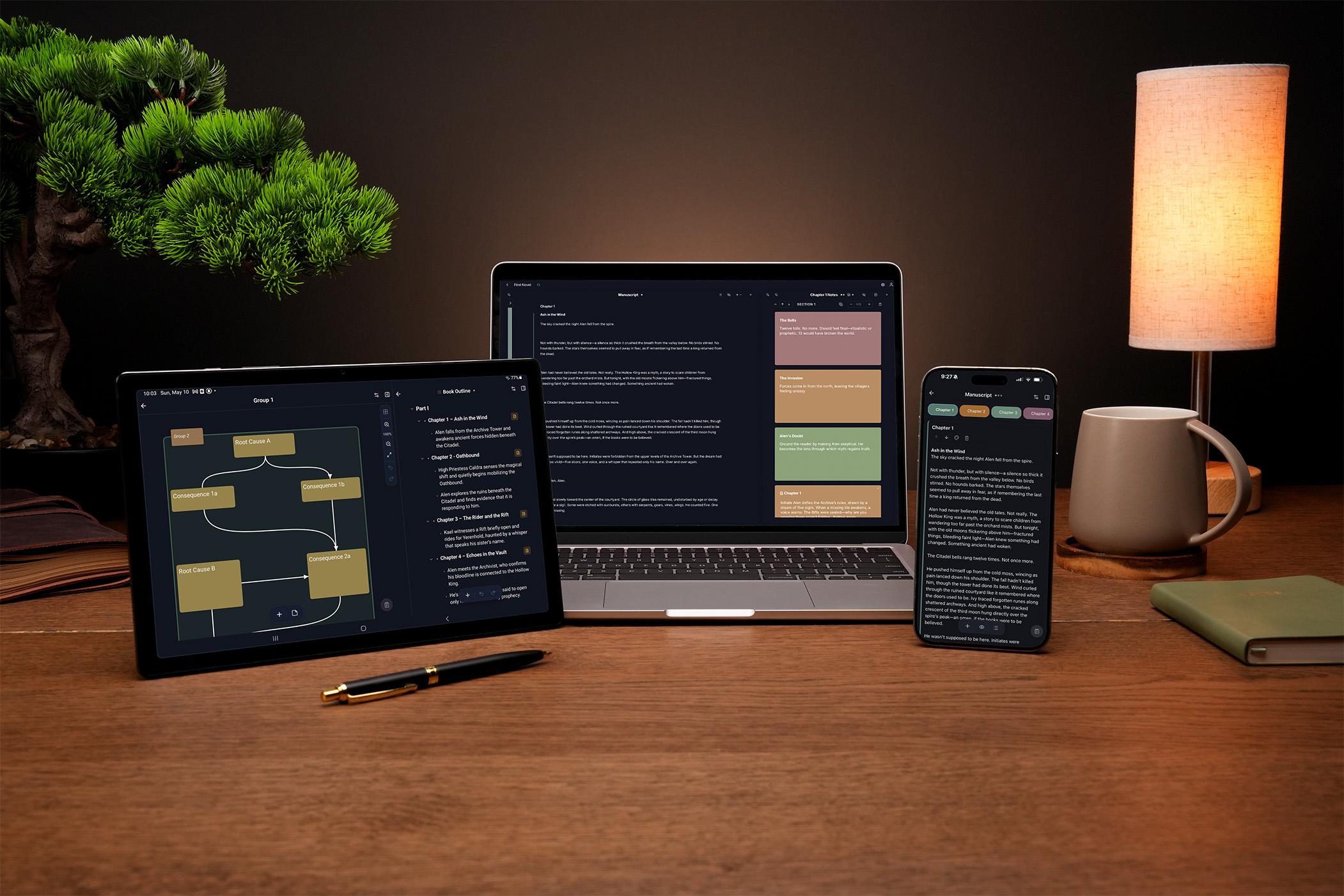
Studio is now on iPhone, iPad, and Android.
Phones and tablets, in sync with the rest of your work.
Every screen, every tool, every interaction was rethought for mobile from the ground up — not a desktop app squeezed onto a smaller screen. The full Studio environment, on the device that's already in your pocket.
Crafted to inspire your best work.
Write. Plan. Organize. Adapt.
Effortless Writing Experience
From first drafts to final revisions, our distraction-free environment lets your creativity flow. The intuitive interface adapts to each stage of writing — use focus mode for raw drafting, split-view for referencing research while writing, and powerful editing tools for polishing your work. Every feature is designed to enhance your writing process, not interrupt it.
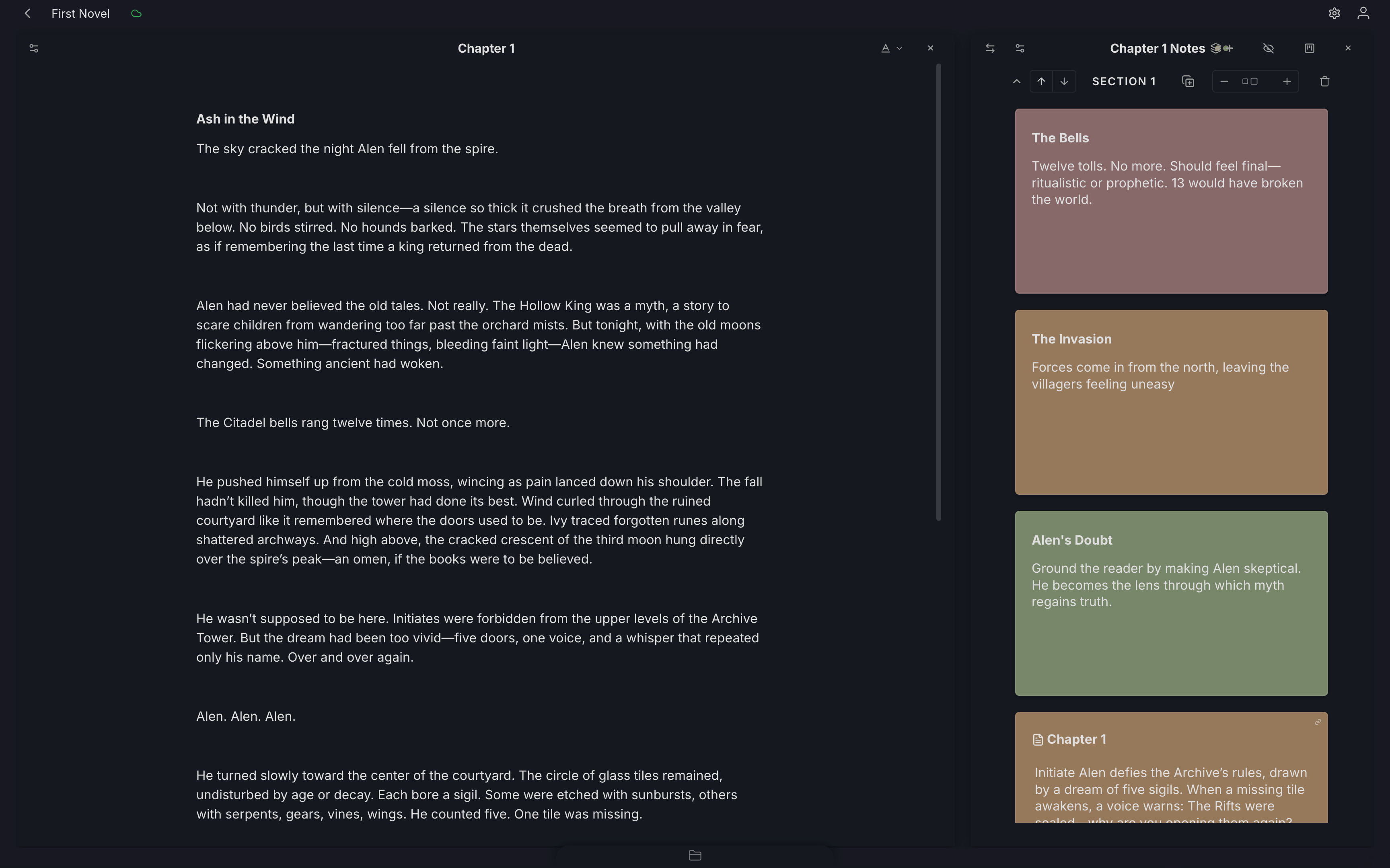
A closer look at each tool.
A focused editor for real writing
Draft chapters, scenes, notes, essays, and long-form projects in a clean writing space built to stay out of your way. Studio's editor gives you the tools you need to write comfortably without turning the page into a cluttered control panel.
Build your manuscript from scenes
Bring separate scenes, chapters, and sections together into a larger manuscript. Studio helps you organize pieces of writing into a structured draft, so you can move from scattered files to a complete work that starts to take shape.
Plan with flexible writing cards
Use cards to capture scenes, ideas, notes, beats, research, or anything else your project needs. Cards give you a visual way to plan and organize the pieces behind your writing without forcing everything into a single document.
Map your ideas visually
Use the Grid Map to create mind maps, flow charts, relationship maps, timelines, systems, and visual plans. Add shapes, connect ideas with lines, and arrange your thoughts spatially so you can see how the pieces of your project fit together.
Structure your work with outlines
Create hierarchical outlines for chapters, scenes, essays, research, or any writing project that needs structure. Break big ideas into smaller sections, nest details beneath larger points, and keep the shape of your work easy to follow.
Create a living wiki for your project
Build a connected knowledge base for your project with wiki entries for characters, places, concepts, research, worldbuilding, notes, and more. Keep important information easy to find so your writing world stays consistent and organized.
Capture quick ideas before they disappear
Use the Scratch Pad for quick thoughts, reminders, and tasks inside Studio. If you write on a BYOK device, Capture Commands can also turn device notes into cards, wiki entries, outlines, comments, and more when you sync.
Explore Device CapturesKeep every project organized
The Project Drawer is where your files, folders, tools, and project materials live. Keep drafts, notes, cards, outlines, grids, wiki entries, and scratchpad items organized inside each project, so everything related to your work stays in one place.
Don’t take our word for it.
Take it from fellow writers.
“It looks super clean and distraction free which is brilliant. I think it's already the best looking writing app out there. No crazy menus or strange buttons to deal with. I love it! I think you are on to a winner here! I've used just about every bloody app going and I already like yours more. Why would anyone ever want to use scrivener after seeing this? I had been using bibisco on linux for the last 6 months and your app makes it look silly to be honest…”
Shawn H.
Hobbyist Novel Writer and Writing Software Nerd
See Studio in action
An earlier walkthrough — Studio has evolved visually since, but the way you use it is similar.
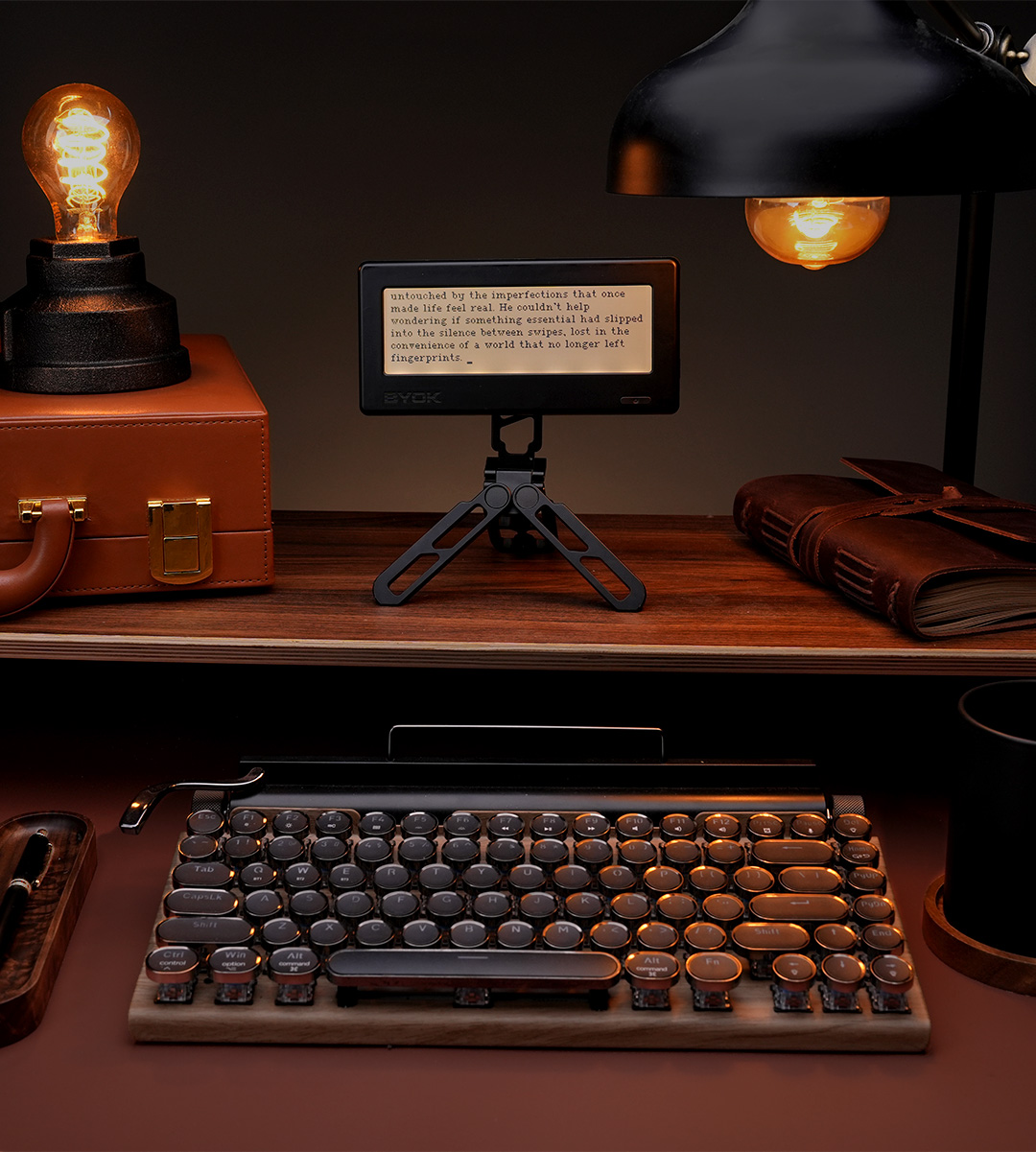
Your device, in sync with your studio.
Seamlessly sync text documents directly into the app, where you can refine your work alongside other project files and tools. We have exciting plans to further expand the integration between the BYOK and the app.
Writing was never meant to be complicated.
Simplicity is Key
Writing tools should be simple, intuitive, and frictionless — an extension of the writer.
Focus on Words
A writer's energy must go to the words, not to learning complicated tools.
Adaptable to You
Our app adapts to your creative flow, not the other way around.
Purpose-Driven Tools
A curated set of features built to be molded by you, not to dictate your writing process.
Craft your ideal writing environment.
Mold the app to become your perfect writing companion, tailored to your unique process.
Flexible Workspace Layout
Mix and match the tools you want to use side by side or focus on one at a time.
Adjustable Tool Windows
Resize the tool windows to fit your viewing preferences and workflow needs.
Unlimited File Creation
Create as many files as you need for each tool and use them any way you see fit.
Custom Project Organization
Organize the project drawer to perfectly handle the structure of your writing project.
Write anywhere, anytime.
Access Studio in any browser, or natively on iOS and Android. Your work syncs seamlessly across all platforms.
Laptop
Perfect for long writing sessions and in-depth research.
Tablet
Ideal for on-the-go editing and quick note-taking.
Phone
Capture ideas anytime, anywhere with our mobile-friendly interface.
Transform the way you write.
Bring your story to light.
Join a community of writers and creators shaping their best ideas with Studio.