
Quick Answer: What Is the Best Freewrite Alternative?
The best Freewrite alternative depends on your writing habits, preferences, and budget. There is no one-size-fits-all.
If Freewrite's price, fixed keyboard, or limited capabilities gives you pause, BYOK is the strongest alternative for writers who want a more flexible and affordable setup. If you specifically want E Ink and don't mind trading off some polish, the Zerowriter Ink may be worth considering. If you want a used low-cost classic, the AlphaSmart Neo still has appeal.
Other options, such as the Pomera DM250 or a tablet with focus software, may also make sense depending on how much you value portability, editing flexibility, or a more traditional screen-and-keyboard setup.
Why Writers Look for Freewrite Alternatives
For nearly an entire decade, Freewrite has been one of the only options in the distraction-free writing device space. But they are simply not the right fit for every writer. This is for a number of reasons, but there are several that tend to pop up more than others:
1.Price
Freewrite devices are premium-priced writing tools. Depending on the model, they can cost far more than you might expect. Starting at $349 for the entry-level Alpha, with standard models up to $699 and limited editions reaching $1,099, is no small investment.
For some writers, that price may be worth it. But for many others, especially writers who are not sure whether a dedicated writing device will fit their process, the cost can be hard to justify.
2.Fixed Keyboard
Freewrite devices come with built-in keyboards. That can be convenient, but it also means the typing experience is locked in.
If you prefer a different keyboard size, switch type, layout, or ergonomic setup, there is not much room to customize the experience.
3.E Ink Lag
The input lag while typing on a Freewrite device is noticeable on both the Traveler and the Smart Typewriter, a known limitation of their E Ink displays. Firmware updates over the last year have improved it, but it is still noticeable in comparison to an LCD display.
4.Ergonomics
Freewrite's all-in-one form factor can also create ergonomic tradeoffs, a sorely overlooked aspect for serious writers. Because the screen and keyboard are attached to the same device, you have limited control over screen height, keyboard position, and typing angle. This effect compounds over time and can absolutely be counterproductive to a writer's posture health.
Some models handle this better than others. The Traveler, for example, has a screen that can tilt. But across the lineup, the ergonomics are still constrained by the fixed all-in-one design.
5.Limited Organization
With its three-folder structure, Freewrite's organizational features are intentionally limited. That simplicity is part of the appeal, and for many it is adequate.
But if you are writing a novel, nonfiction book, essay collection, screenplay, or other larger project, basic drafting may only be one part of the workflow. At some point, you may want to organize scenes, manage notes, outline sections, track ideas, arrange cards, or compile work into a larger manuscript without friction in between.
This means that while Freewrite is strong as a drafting tool, some writers may want a writing system that gives them more room to organize and revise after the draft is written. Or in other words, a more flexible workflow.
6.Basic Software Ecosystem
Freewrite has Postbox for document storage and Sprinter as a simple drafting tool. You can pay for the pro version of Postbox if you'd like a tad more flexibility, such as uploading documents, but overall the offerings are quite limited.
A Brief Recap of the Freewrite Lineup
Before getting into the alternatives, here is a quick look at the three main Freewrite devices and where each one fits. We have spent real writing time with these devices, and you can read the full hands-on reviews of the Smart Typewriter, Traveler, and Alpha in our device comparison guide.
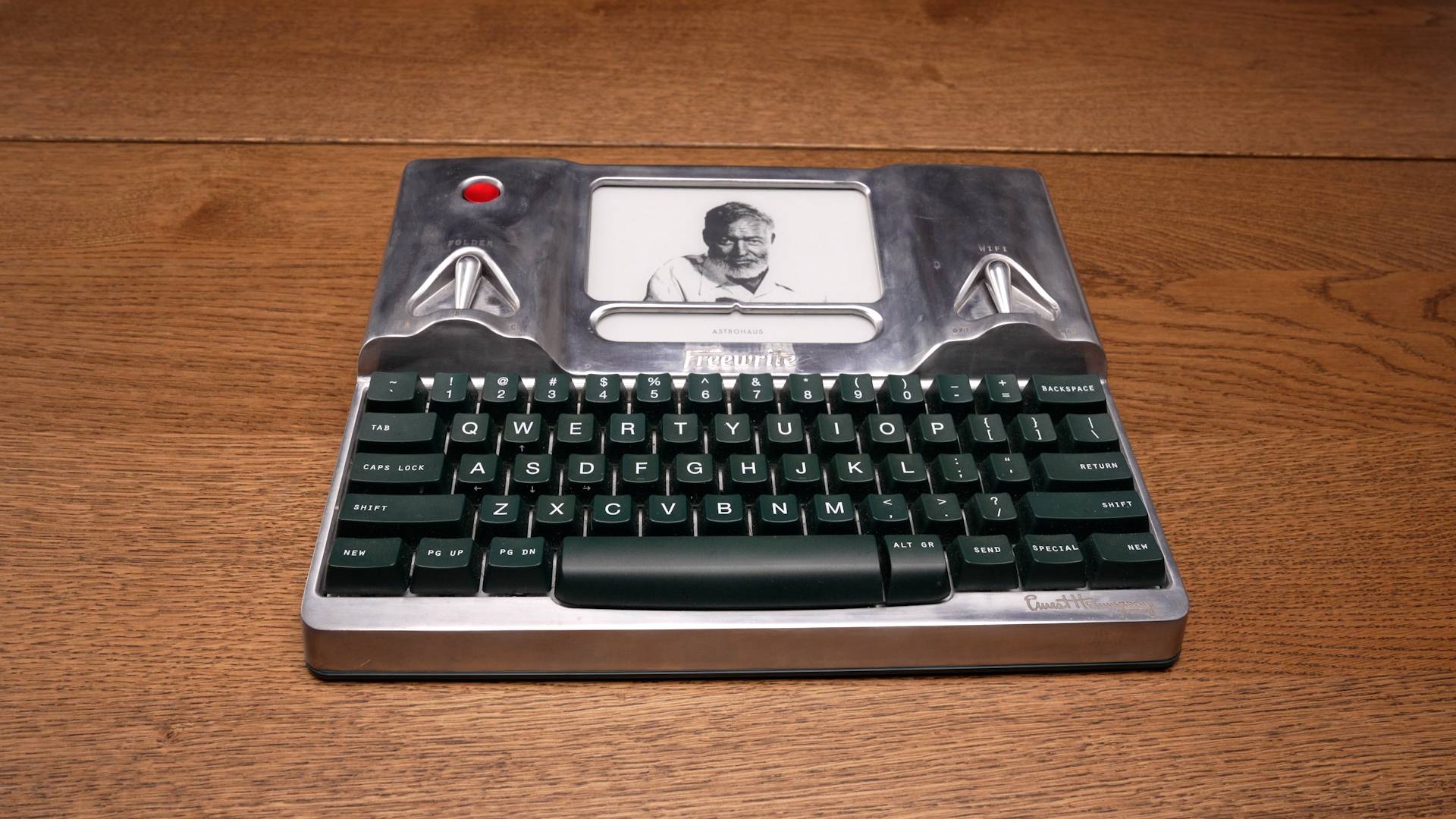
Freewrite Smart Typewriter
$699The premium desk-first Freewrite model with a built-in mechanical keyboard, E Ink screen, and a more substantial physical design than the lower-cost Freewrite models.
Best for: Writers who want a premium, all-in-one drafting device and do not mind paying for that focused experience.
Tradeoffs: Price, portability, fixed ergonomics, noticeable E Ink input lag, and a limited workflow beyond drafting.
Photos show the $1,099 Hemingwrite limited edition; the standard model is $699.
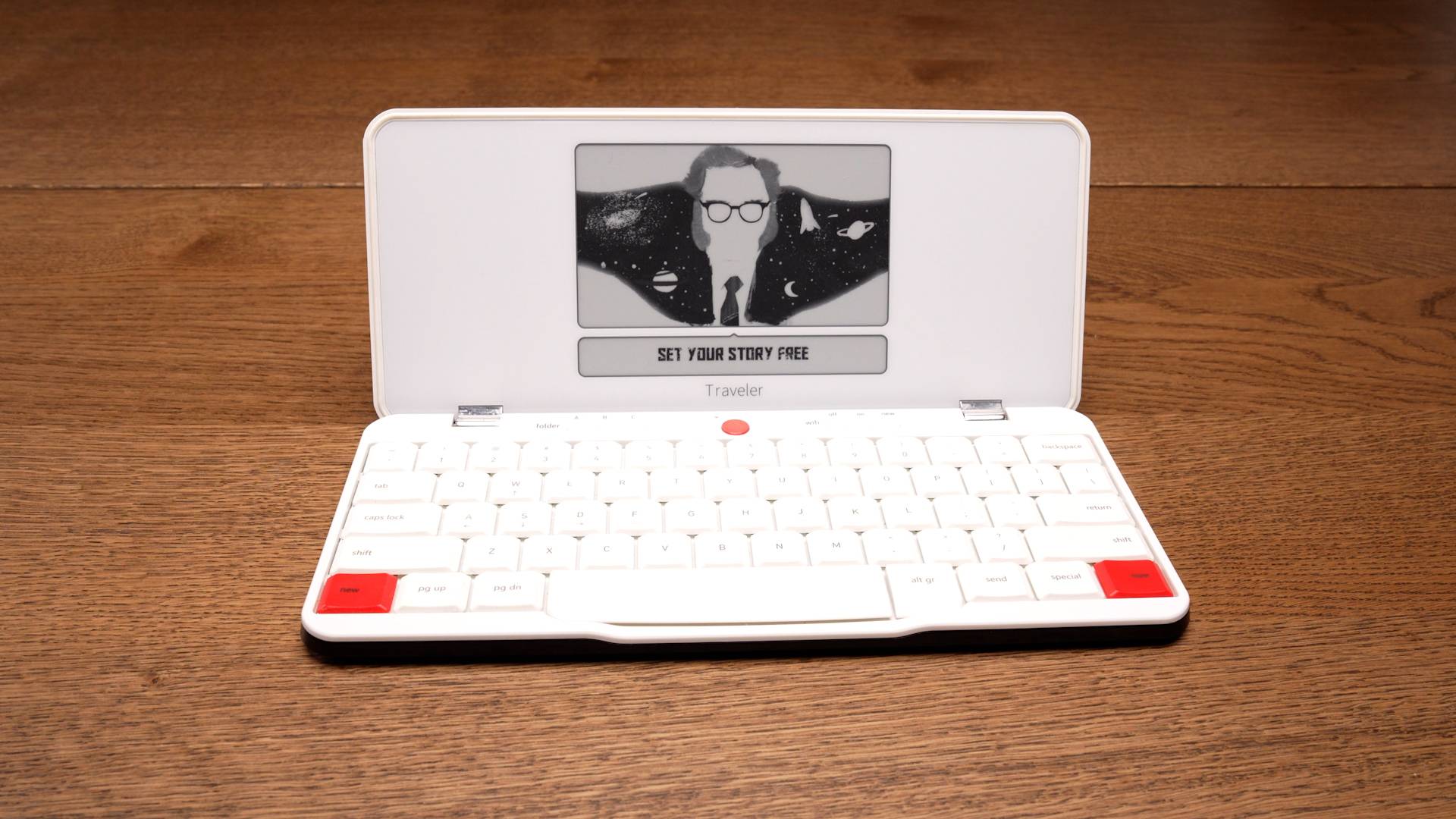
Freewrite Traveler
$549The more portable clamshell-style Freewrite device. It has an E Ink screen and a folding design, making it easier to travel with than the Smart Typewriter.
Best for: Writers who want a single-piece portable writing device with an E Ink display.
Tradeoffs: The cost, noticeable E Ink input lag, and limited workflow options.
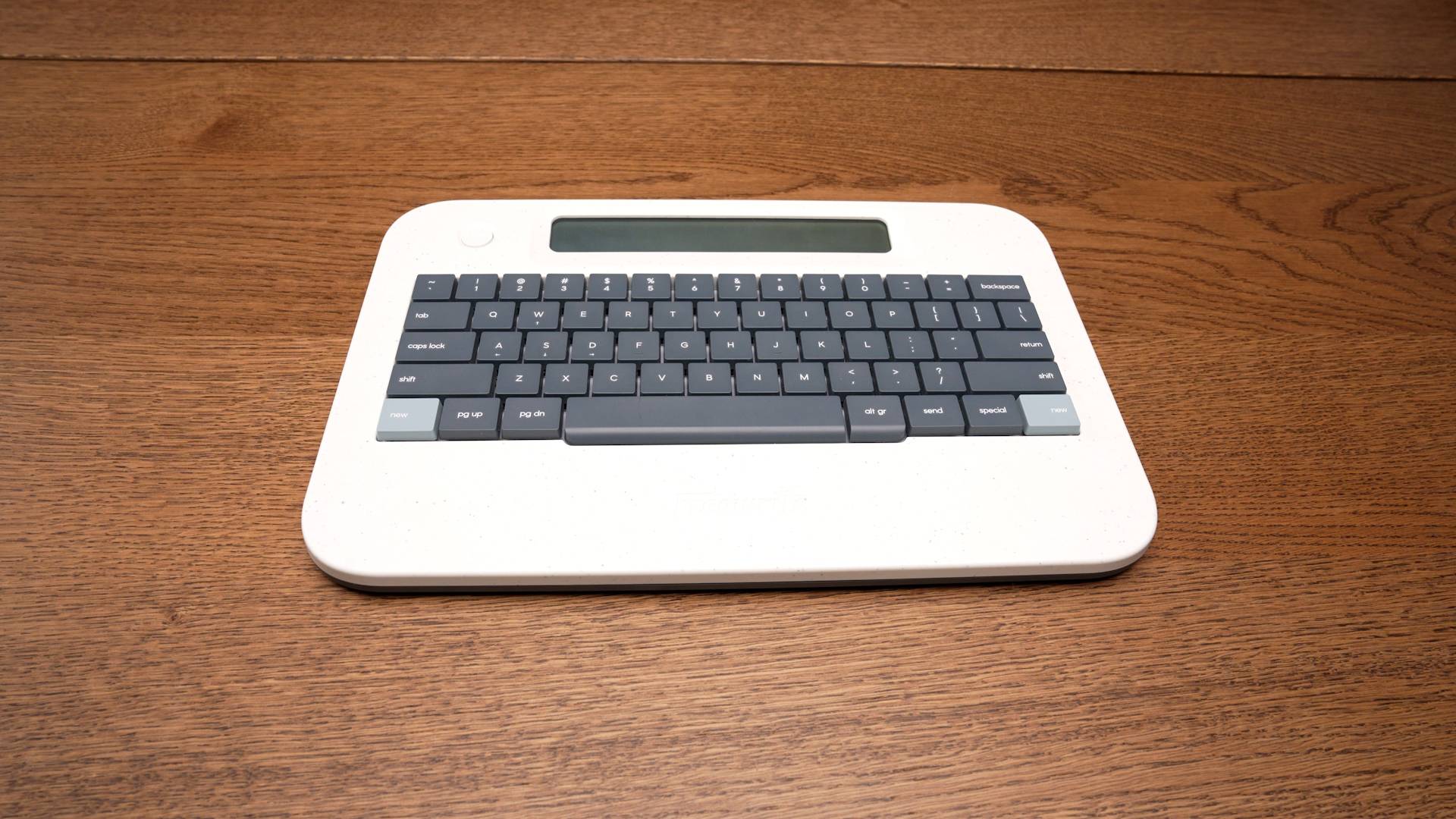
Freewrite Alpha
$349Freewrite's lower-cost LCD writing device. It is simpler and less premium than the Smart Typewriter or Traveler, but it gives writers a more affordable way into the Freewrite ecosystem. Its LCD display also avoids the input lag of the E Ink models.
Best for: More price-sensitive writers who want a single-piece writing device and are unbothered by workflow limitations.
Tradeoffs: The small display with poor viewing angles, high price for a simple package, cheaper build quality, and workflow limitations.
If you like the idea of the Freewrite devices but are stuck on some of the downsides, then these alternatives may be worth considering.
BYOK
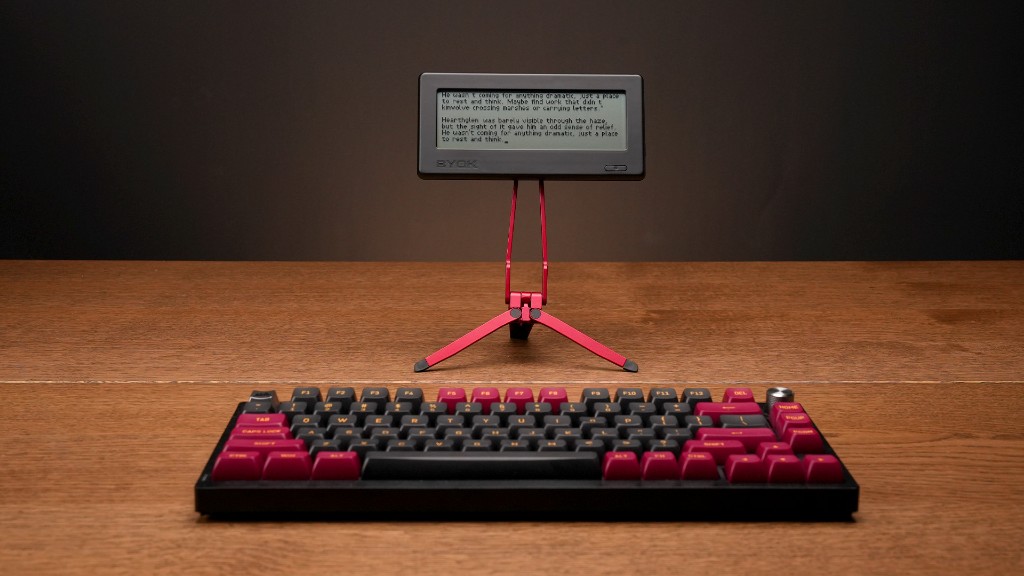
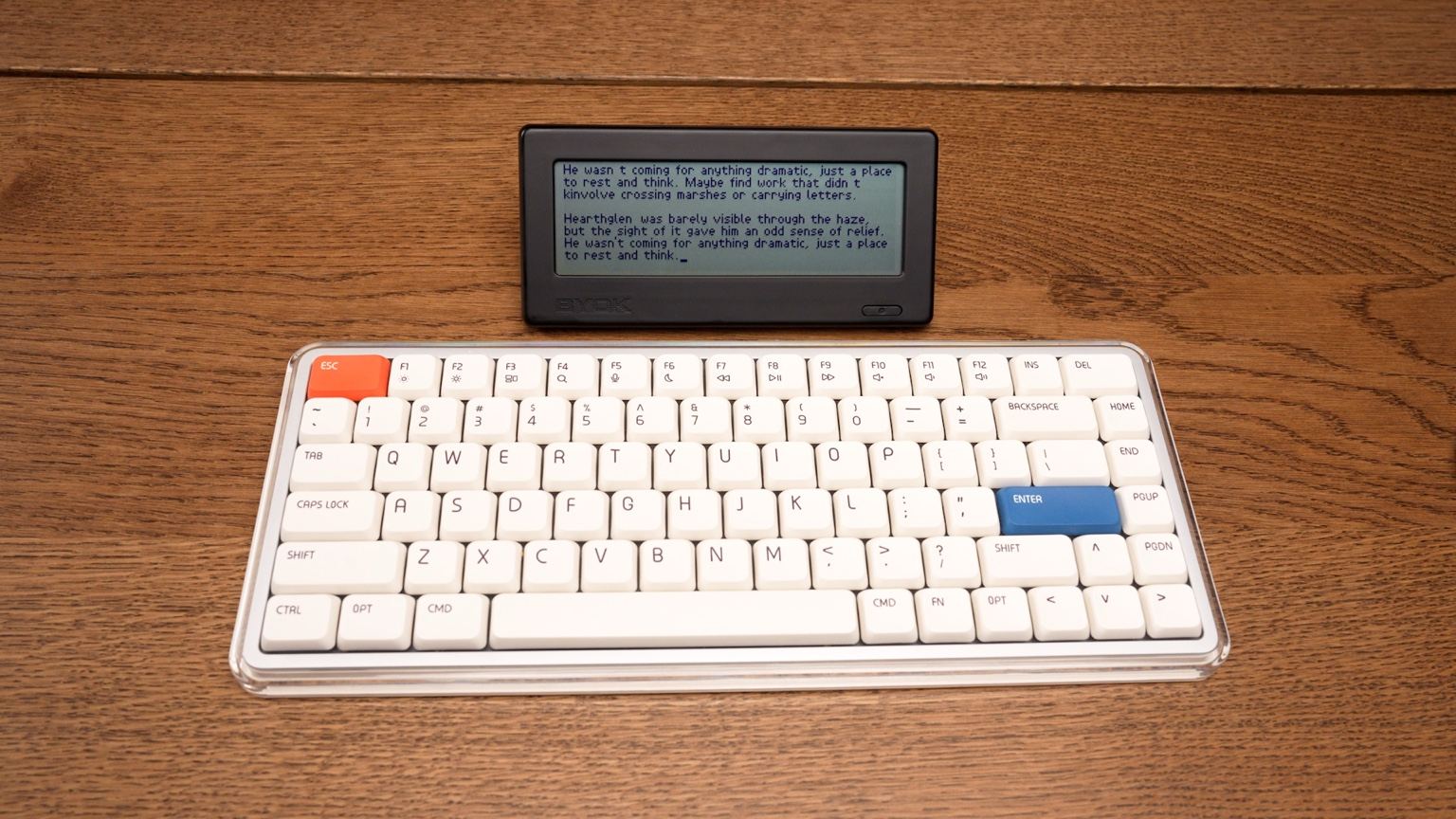
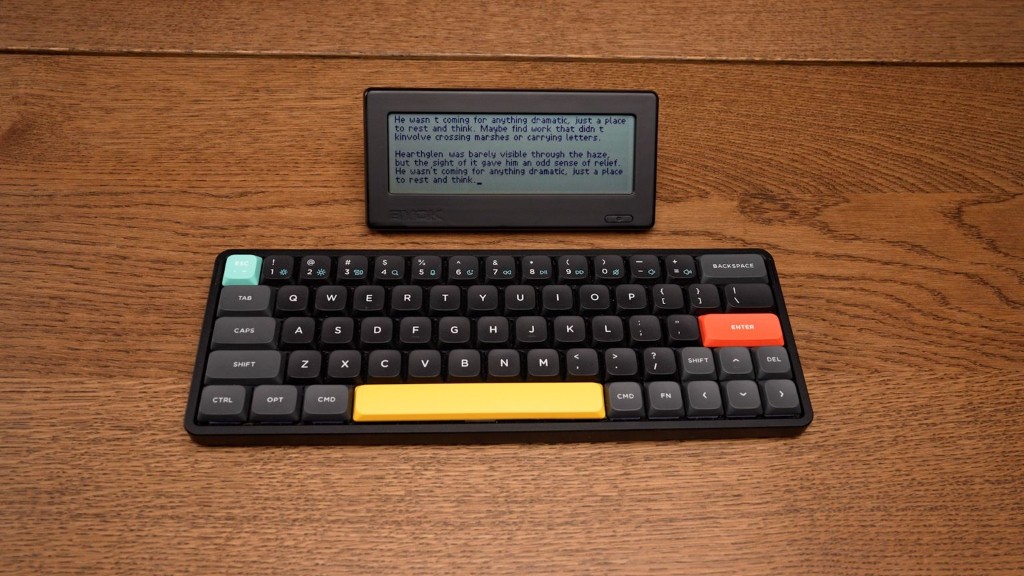
BYOK is the strongest Freewrite alternative for writers who want a dedicated drafting device without giving up flexibility, portability, affordability, or a deeper writing workflow.
Instead of building the keyboard into the device, BYOK lets you bring your own keyboard, whether wired or wireless. This means that options are near limitless, and it gives writers more control over their typing experience. The same goes for the stand. Though the device comes with a small magnetic stand, there are thousands of compatible magnetic stands to pick from online so that you can create your perfect setup.
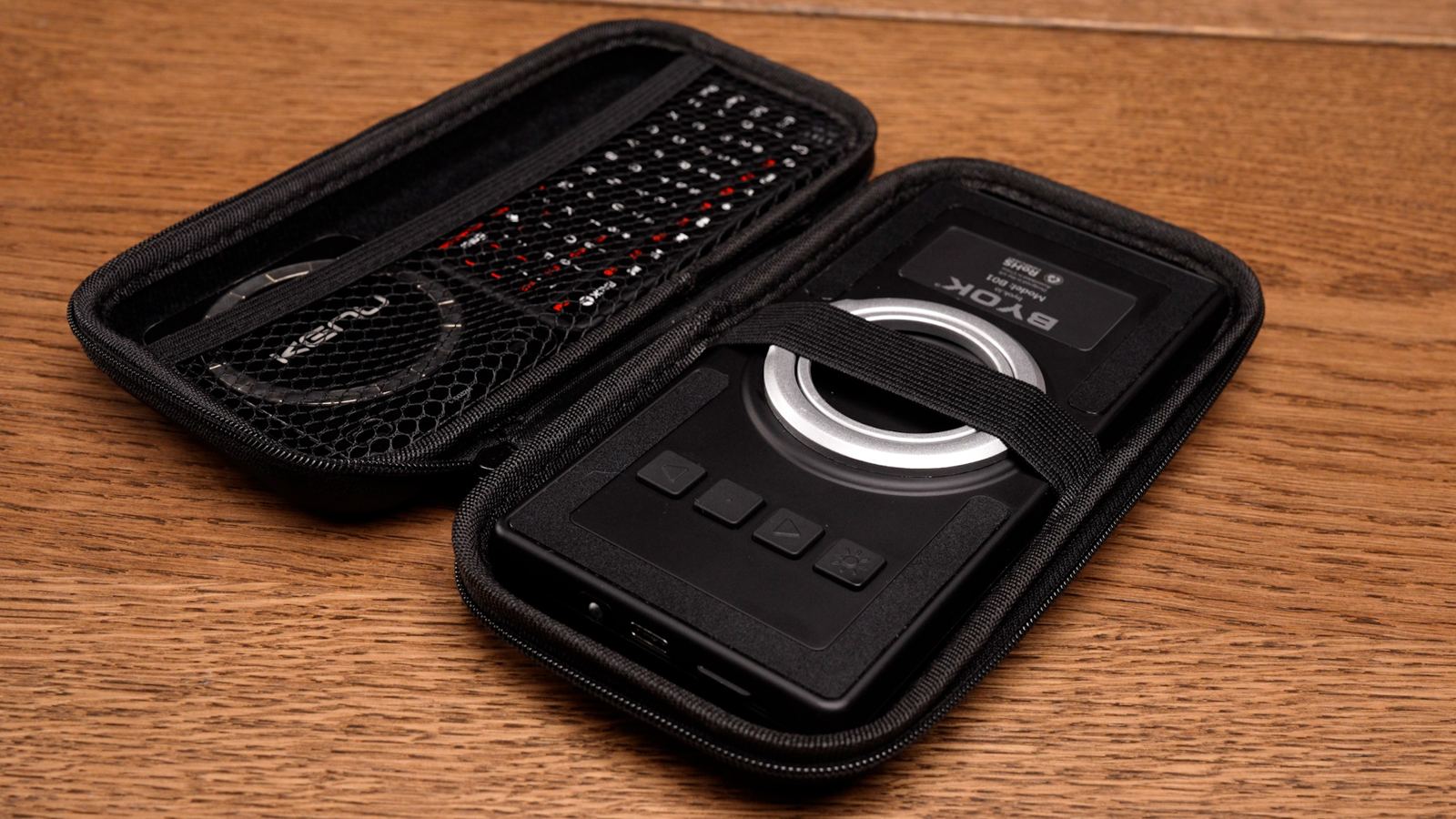
BYOK is also highly portable. The device itself is slightly larger than a smartphone, so it is easy to pack, carry, put in your pocket, and pair with a small keyboard when traveling.
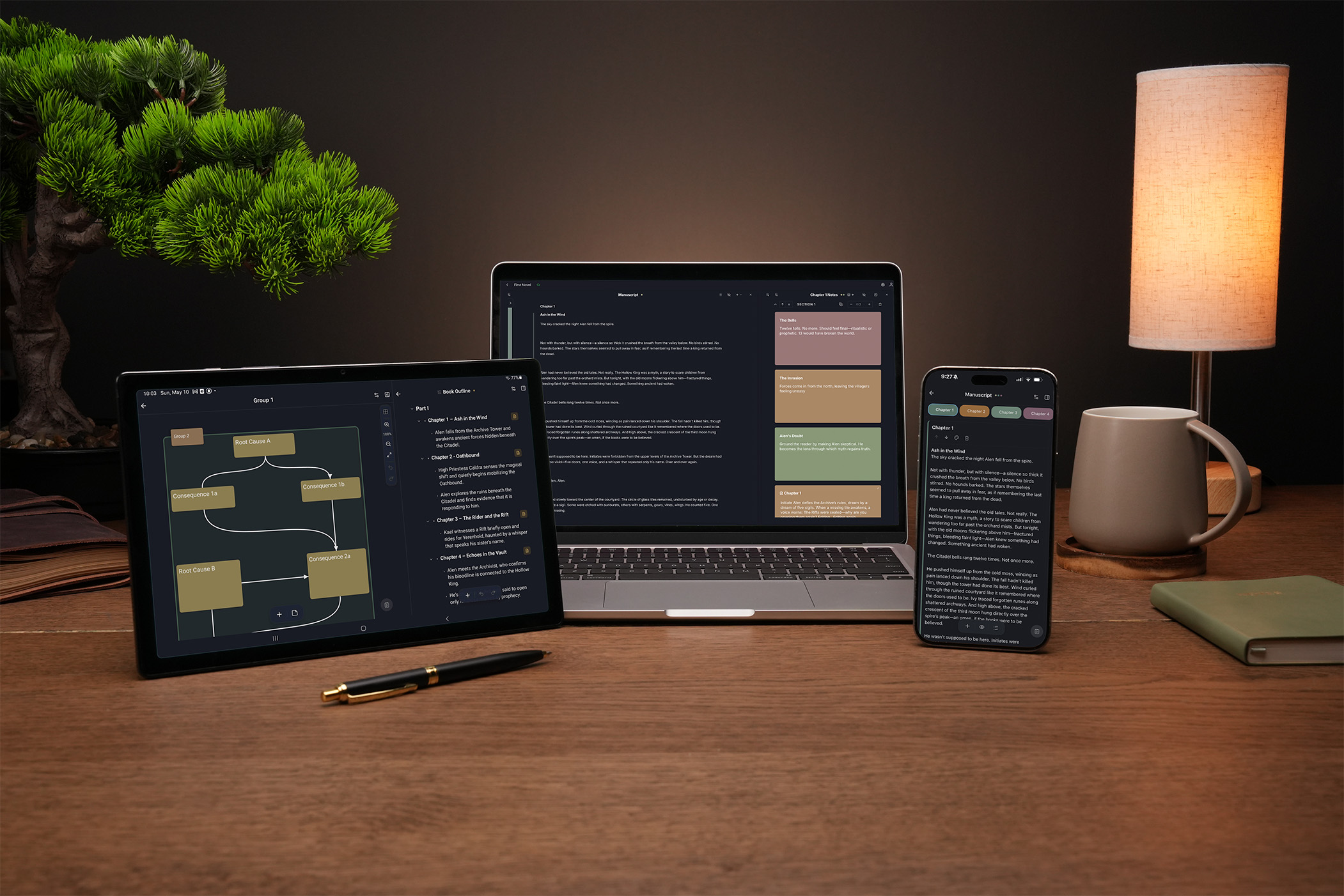
For some, the added integration of Studio makes the BYOK especially strong. It is an innovative full-featured writing environment that syncs to and from your BYOK. The device gives you the simple, focused place to draft. Studio gives you a larger workspace for organizing, revising, arranging, and compiling your work.
Key strengths
- Much more affordable than Freewrite
- Highly portable and easy to travel with
- Works with your favorite keyboard, wired or wireless
- Better ergonomic flexibility
- Fast, responsive display
- Simple distraction-free drafting experience
- Optional Studio ecosystem for organizing, revising, and compiling work
- Free Studio tier with two-way sync and other features
- Paid Studio tools available for deeper workflows
Tradeoffs
- Not a single-piece all-in-one device; you need to pair it with a keyboard
- Does not have the same metal-and-premium-object feel as the highest-end Freewrite Smart Typewriter. That said, compared with the Freewrite Alpha and Traveler, BYOK has a solid build quality
Best for: Writers who like the idea of Freewrite, but want more control over their keyboard, setup, budget, portability, and writing workflow.
Zerowriter Ink
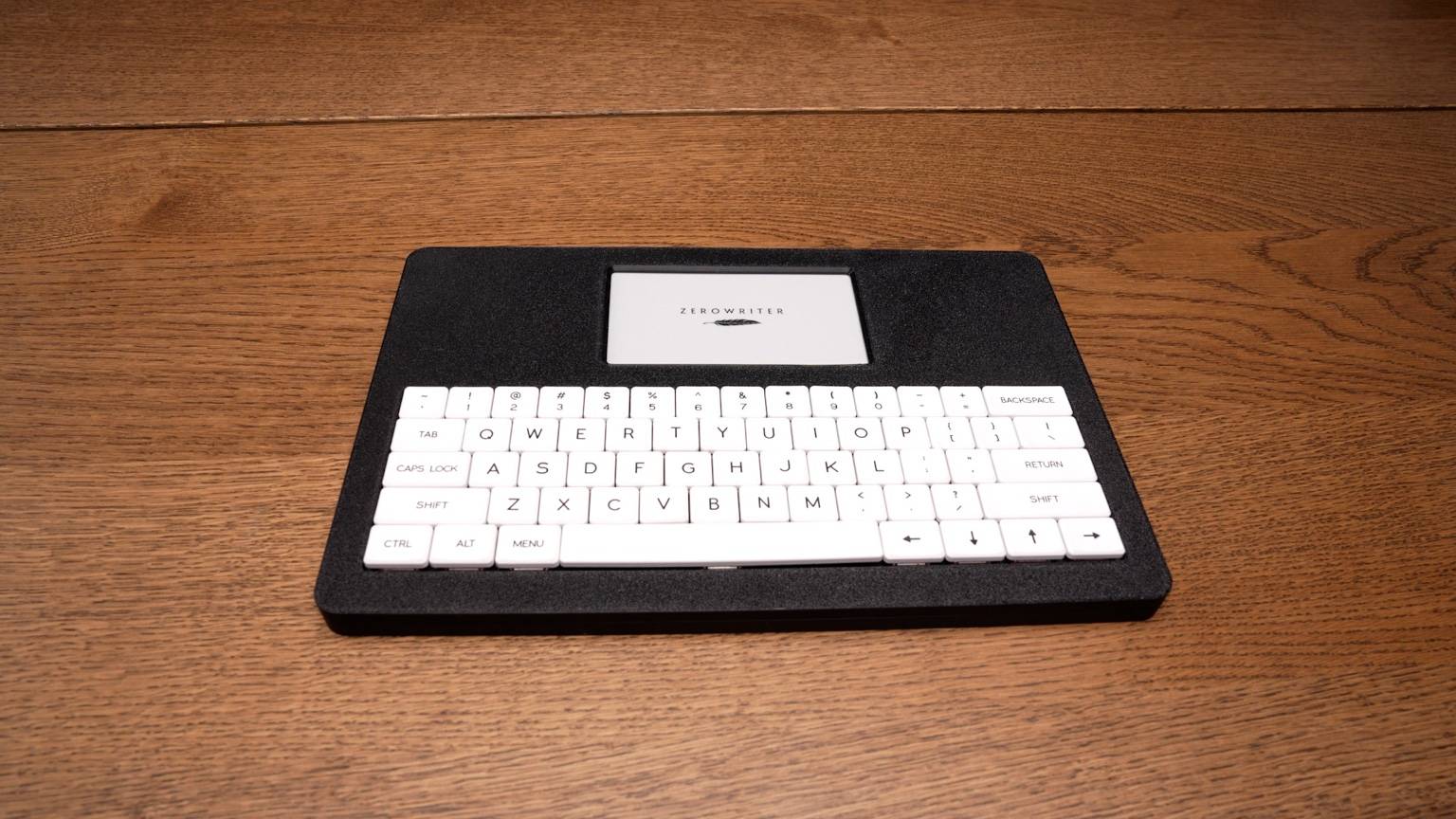
Zerowriter Ink may appeal to writers who specifically want an E Ink writing device, but do not want to pay Freewrite prices. Its biggest advantage is that it offers an E Ink focused writing experience at a lower price than Freewrite models.
But it is not necessarily the best choice for writers who want a polished, finished consumer product. It can feel more experimental and DIY than Freewrite or BYOK. Examples of this are the 3D-printed enclosure and the keys that come separate from the device, meaning you have to install them yourself.
Key strengths
- E Ink display
- Lower price than Freewrite
- Dedicated writing focus
- Interesting option for E Ink enthusiasts
Limitations
- Less polished than typical mass-produced products
- Input lag due to slow display, even more noticeable than on the Freewrite E Ink models
- Workflow may be more manual
- Poor ergonomics
Best for: Writers who value E Ink above polish and only need functionality.
AlphaSmart Neo
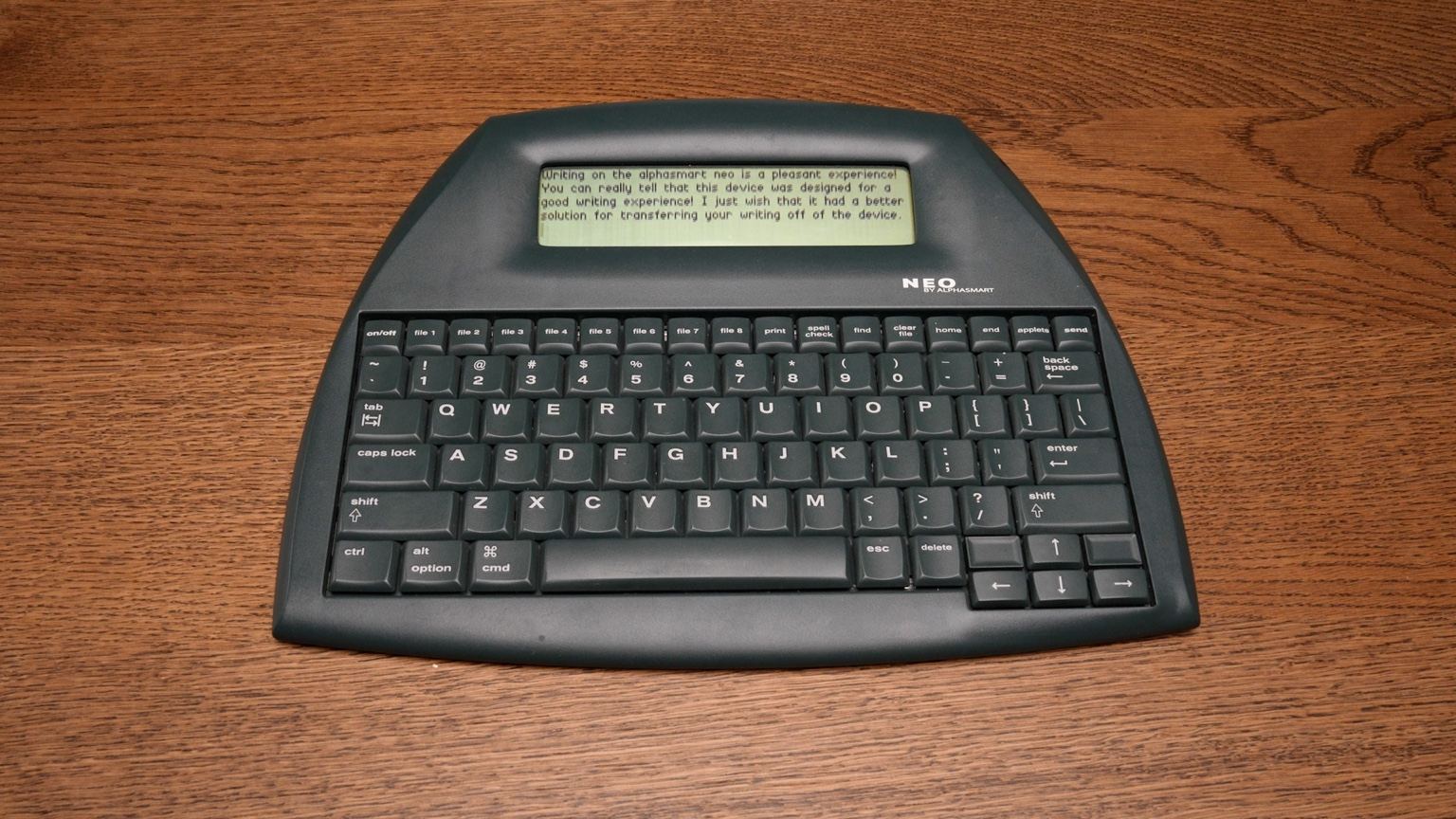
The AlphaSmart Neo is an older, discontinued writing device that still has a loyal following. Its appeal is simple: it is inexpensive, durable, and extremely focused.
But because it is old hardware, it comes with real tradeoffs.
Key strengths
- Very affordable used; can often be found for anywhere between $80 and $200
- Durable
- Fast, responsive display with no input lag
- Long battery life
- Simple, focused writing experience
- Loved by many longtime distraction-free writing fans
Limitations
- Discontinued
- Used condition varies
- Old hardware
- Getting text off the device can be cumbersome
- No modern software ecosystem
- Poor ergonomics due to fixed keyboard
Best for: Writers who want the cheapest possible dedicated drafting device and do not mind using old hardware.
Pomera DM250
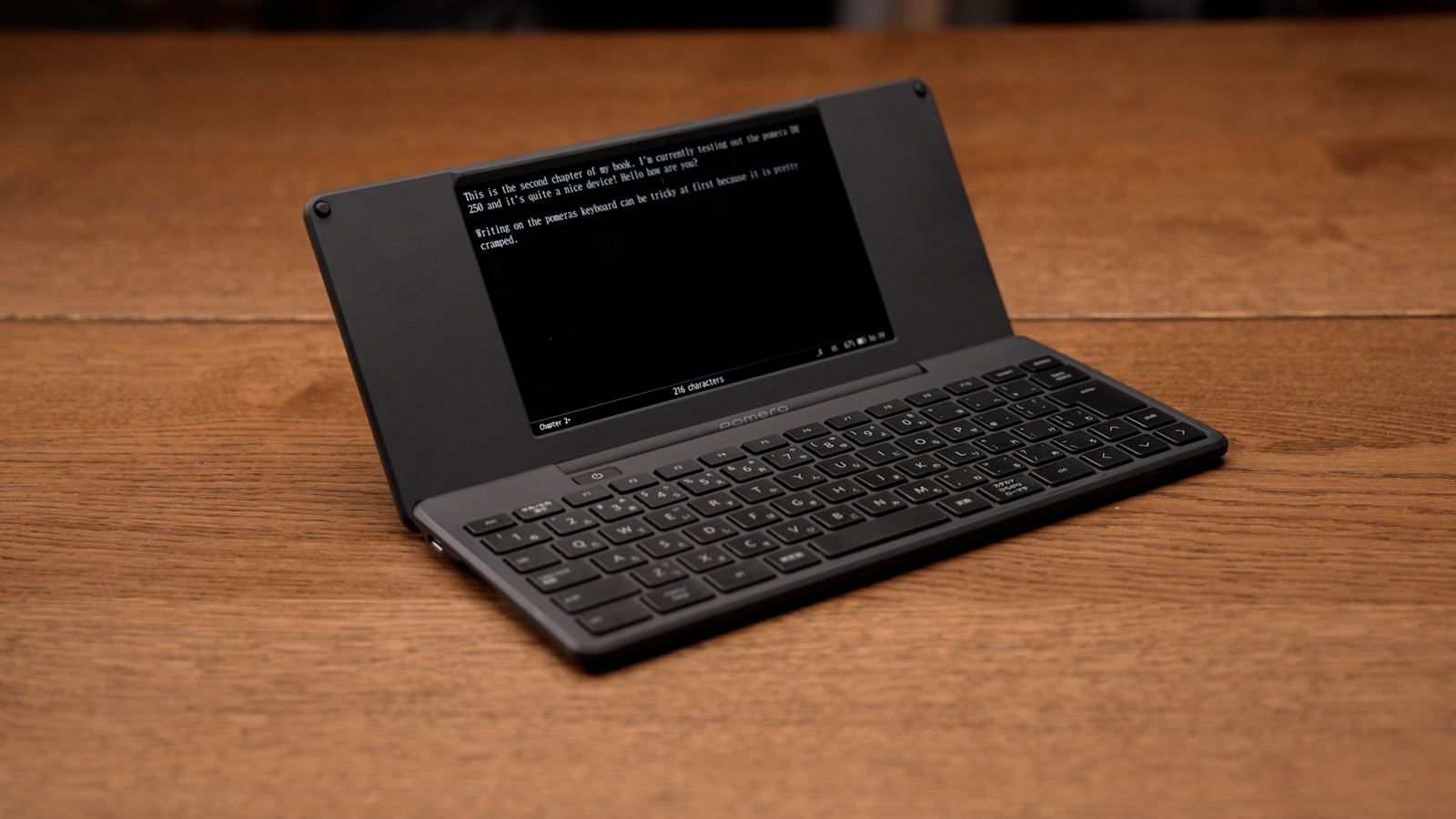
The Pomera DM250 is a compact writing device with a folding keyboard design. Its most notable aspects are its sleek design and large LCD display. Along with drafting, it has additional functionality such as an outline mode and calendar, though it does not solve the price problem, and its workflow can tend to be more manual when exporting your work.
Key strengths
- Compact folding design
- High build quality with matte finish
- Highly portable
- Single-piece device
- Large LCD screen with no input lag
Limitations
- Keyboard can feel cramped, especially for long writing sessions
- Workflow can be more manual
- Not as integrated into a broader writing ecosystem
- Expensive
Best for: Writers who want a compact, self-contained writing device and are comfortable with a more niche product.
Tablet or Laptop with Focus Software
A tablet or laptop with focus software can work well if you already own the hardware. This might mean an iPad with a keyboard and focus mode, a laptop with distraction blockers, an E Ink tablet with keyboard support, or a minimal writing app.
While E Ink tablets tend to come the closest to these dedicated writing devices, the more premium ones tend to see prices similar to Freewrite but also come with more distractions (i.e. the entire Google Play store).
Key strengths
- Uses hardware you may already own
- Flexible
- Can run powerful writing software
- Easier editing and exporting
- No need to buy a dedicated writing device
Limitations
- Still connected to the same distracting ecosystem
- Requires discipline and setup
- Notifications, tabs, apps, and browsing are still nearby
- Less psychologically separated from normal computer work
- Often expensive if buying new
Best for: Writers who want flexibility and do not need a truly separate writing device.
The Alternatives at a Glance
A quick visual summary before the decision guide.
BYOK
Best overall
$199
Zerowriter Ink
Best E Ink alternative
$279
AlphaSmart Neo
Best used classic
$80–200 used
Pomera DM250
Best compact folding option
$549

Tablet or Laptop
Best non-device alternative
Varies
Photo shows the $1,099 Hemingwrite limited edition Smart Typewriter.
Freewrite
The reference point
$349 to $1,099
Want to write with fewer distractions?
Get practical writing workflow ideas, focused setup inspiration, and occasional updates from BYOK and Studio.
Which Freewrite Alternative Should You Choose?
Find the option that matches what you actually want from a writing device.
Choose BYOK if you want:
- The best overall balance of focus, portability, flexibility, and price
- A writing device that lets you use your own keyboard
- A more ergonomic setup
- A device that is easy to travel with
- A focused drafting space plus a deeper Studio workflow
- A writing ecosystem that can grow beyond basic document storage
Choose Zerowriter Ink if you want:
- E Ink specifically
- A lower-cost alternative to Freewrite's E Ink models
- A more experimental or DIY-feeling device
Choose AlphaSmart Neo if you want:
- The cheapest classic drafting device
- Used hardware
- Extreme simplicity
- No modern ecosystem
Choose Pomera DM250 if you want:
- A compact folding device
- A self-contained writing tool
- Something portable with high build quality
Choose Tablet or laptop with focus software if you want:
- No dedicated writing hardware
- The flexibility of a normal computer or tablet
- A software-first approach
Choose Freewrite if you want:
- A premium all-in-one writing device
- Built-in keyboard and screen
- E Ink on the higher-end models
- The simplest possible draft-and-sync workflow
BYOK vs Freewrite: The Short Version
How the two compare across the things that matter most to writers.
Final Recommendation
Freewrite is still a strong option for writers who want a premium all-in-one drafting device and are willing to pay for that experience.
But if you like the Freewrite idea and wish it were more affordable, more portable, more ergonomic, more keyboard-flexible, and connected to a deeper writing workflow, BYOK is the strongest alternative.
For writers who specifically want E Ink and are willing to accept a less polished product, Zerowriter Ink may be worth considering. For writers who want the cheapest possible dedicated drafting device, the AlphaSmart Neo still has its place. And for writers who want a compact self-contained device, the Pomera DM250 may also be worth considering.
But for most writers looking for a modern Freewrite alternative, BYOK offers the best balance of focus, flexibility, portability, affordability, and long-term workflow support.
Want to write with fewer distractions?
Get practical writing workflow ideas, focused setup inspiration, and occasional updates from BYOK and Studio.